
What software do I need for the Mako Laser Cutter?
Lightburn software is by far the most common and easy to use software to control Mako lasers. We offer a free seat through Lightburn software with the purchase of a CO2 laser.
Download Lightburn
You can download Lightburn by going to the link here. Choose which download you would need for your computer
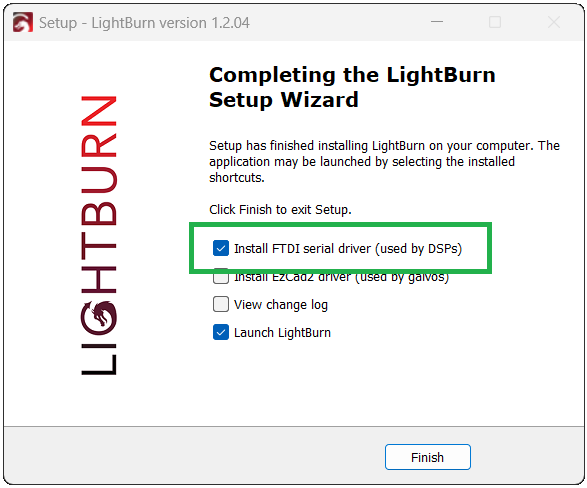
At the end of the setup, make sure to select “Install FDTI serial drivers (used by DSPs).
Enter Your License Key
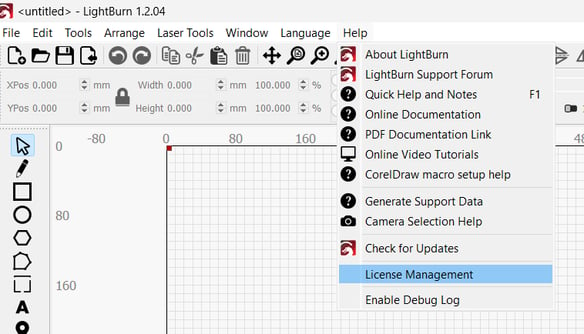
Once you have LightBurn installed, click Help from the top toolbar, then License Management, to enter the license key that was provided to you by InkSmith (or by LightBurn). Your license key will remain valid permanently for the purchased version of LightBurn, but only 1 year of software updates are included.
New features added to LightBurn after the 1 year period will not be accessible without license renewal.
You can renew your license and continue to receive updates at LightBurn's website here - after renewal, you'll be able to update LightBurn to the newest version.
Last updated June 17, 2025